Build Your Dream Ride with Mia

Car Tuning With a Laptop

Ed Little
•
Fabricator and Car Enrhusiast @ MOTORMIAHow to tune a car with a laptop
Your car’s running fine, but you know there’s more power hiding under that hood. Maybe the throttle response feels sluggish, or you’ve added performance parts that need proper calibration. Professional tuning shops want $500 to $2,000 just to optimize your ECU, and that’s before any follow-up adjustments.
Here’s what they don’t advertise: with a laptop, the right software, and some careful learning, you can unlock that same performance yourself. Modern cars run on computers, and those computers speak a language you can learn. The barrier between you and custom tuning isn’t technical complexity anymore, it’s just knowledge and the right tools.
Laptop tuning puts you in the driver’s seat of your car’s brain. You control fuel delivery, ignition timing, boost pressure, and dozens of other parameters that transform how your engine performs. Whether you want better fuel economy, sharper throttle response, or maximum power from your modifications, the path starts with understanding how accessible ECU tuning has become.
Can I tune any car with just a laptop and basic knowledge?
The honest answer depends on your definition of “tune” and “basic knowledge.” Most cars built after 1996 have OBD-II ports that allow some level of computer access. But having access and having the ability to safely modify parameters are vastly different things.
Your success depends heavily on your specific vehicle. Popular platforms like Subaru WRXs, Honda Civics, and GM LS engines have massive tuning communities with well-documented procedures and readily available software. Try tuning a newer Mercedes or BMW without specialized tools, and you’ll hit encryption walls that basic software can’t breach.
Basic knowledge gets you started, but it won’t get you far. You need to understand how engines work, not just how to click buttons in software. Knowing why you’re adjusting ignition timing matters more than knowing how to change the numbers. Without this foundation, you’re essentially playing Russian roulette with your engine.
How car tuning with a laptop works
Car tuning with a laptop works by connecting tuning software to the vehicle’s ECU via an OBD or USB interface. The software reads engine data, allowing you to adjust fuel maps, ignition timing, and boost settings. Once modified, the new tune is flashed back to the ECU to optimize performance.
The process involves reading your car’s current programming, modifying specific values, and writing these changes back to the ECU. It sounds simple because conceptually, it is. The complexity comes from understanding what each value does and how changes cascade through interconnected systems.
Understanding Engine Control Units (ECUs)
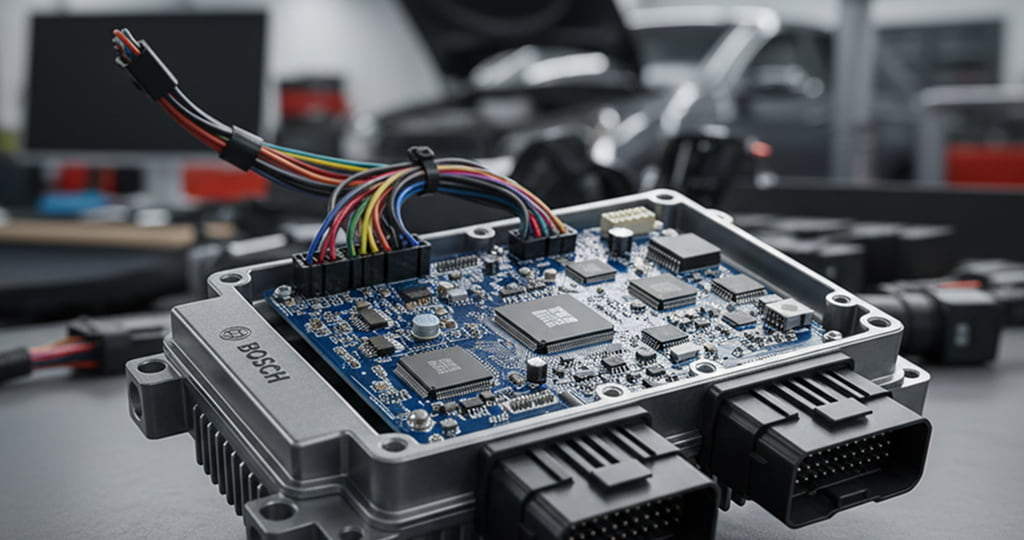
Your ECU is essentially a specialized computer running software that controls engine operation. It takes inputs from dozens of sensors including air temperature, coolant temp, throttle position, and oxygen content, then uses programmed maps to determine fuel delivery, ignition timing, and other critical parameters.
Think of ECU maps like recipes. The factory recipe might call for conservative ingredients to ensure your engine lasts 200,000 miles in any climate. Tuning lets you adjust that recipe for your specific conditions and goals, whether that’s more power, better economy, or both.
If you want to unlock your ECU’s potential? MotorMia uses AI to analyze your vehicle to recommend compatible ECU solutions like piggyback modules, flash tuners, or standalone systems. Mia shows which upgrades work with your engine, real pricing from trusted suppliers, and required supporting mods.
You can skip the forum confusion and get personalized ECU recommendations for your exact setup. Let Mia guide you to the right solution.
Reading vs. writing ECU maps
Reading pulls your current ECU programming onto your laptop, creating a file you can examine and modify. This process is usually safe since you’re just copying data. Most tuning software displays this data as tables and graphs showing relationships between inputs and outputs.
Writing pushes your modified file back to the ECU, replacing factory programming. This is where risk enters the equation. Interrupting a write cycle can brick your ECU, and writing bad values can damage your engine. Always ensure stable power supply and never disconnect during writing.
What parameters can be modified?
The tuning rabbit hole goes deep. Basic parameters include fuel tables that control how much gas gets injected at various loads and RPMs. Ignition timing maps determine when spark plugs fire. Rev limiters, speed governors, and throttle response curves all live in these tables.
Advanced tuning touches everything from variable valve timing to electronic throttle mapping. Turbocharged cars add boost control, wastegate duty cycles, and overboost parameters. Some platforms even let you modify transmission behavior, traction control intervention, and cooling fan activation temperatures.
What software is best for tuning my car with a laptop?
Software choice depends entirely on your vehicle. HP Tuners dominates the GM and Ford world with professional-grade capabilities and excellent support. EcuTek and UpRev serve the import scene, particularly Japanese makes. Open-source options like RomRaider and ECUFlash offer free alternatives for specific platforms.
Generic OBD tools might read codes and display sensor data, but they can’t actually tune. You need software that speaks your ECU’s specific language. Research your exact year, make, and model before buying anything. MotorMia’s build database can show you what software other owners of your car successfully use.
Benefits of laptop tuning
The appeal goes beyond just saving money. Laptop tuning puts you in the driver’s seat of your car’s performance, literally and figuratively. You’re not limited to off-the-shelf tunes that might not account for your specific modifications or driving style.
Cost savings vs professional tuning
Professional dyno tuning easily runs $500 to $1,500 per session. Tuning software might cost $300 to $700 upfront, but you own it forever. Make one successful tune and you’ve broken even. Need to adjust for new mods? No additional cost.
The savings multiply if you’re constantly tweaking. Changed your exhaust? Adjust the tune yourself. Added a cold air intake? Tweak those fuel trims without another shop visit. For serial modifiers, laptop tuning pays for itself quickly.
Full control and customization
Cookie-cutter tunes assume average conditions and modifications. Your specific combination of parts, fuel quality, and climate might leave performance on the table. Laptop tuning lets you optimize for your exact setup.
Want economy mode for commuting but full power for weekend fun? Create multiple tunes. Need to dial back timing for a road trip through states with sketchy gas? Make that adjustment in minutes. This flexibility beats being locked into one tune forever.
Real-Time adjustments and data
Laptop tuning provides instant feedback through data logging. You can monitor exactly how your engine responds to changes, catching issues before they become problems. Knock events, fuel trims going haywire, or boost spikes all show up in logs.
This data helps refine your tune beyond what’s possible with simple butt-dyno testing. You might feel faster, but logs reveal the truth about whether your changes actually improved performance or just made more noise.
Risks and limitations
Laptop tuning isn’t risk-free, and mistakes range from inconvenient to catastrophic. Understanding these risks helps you decide whether DIY tuning fits your situation.
Potential for ECU damage
Bricking an ECU turns it into an expensive paperweight. This happens from interrupted write cycles, corrupted files, or using wrong software versions. Recovery might require dealer tools or ECU replacement costing hundreds or thousands.
Some ECUs have built-in protections, others don’t. Research your specific platform’s brick risk before starting. Having a backup ECU or recovery plan beats learning this lesson the hard way.
Engine damage risks
Bad tuning kills engines, period. Too much timing causes detonation that cracks pistons. Lean fuel mixtures melt pistons and burn valves. Excessive boost blows head gaskets or worse. These failures aren’t covered under warranty and cost thousands to repair.
Conservative tuning leaves performance on the table but keeps engines alive. Aggressive tuning might feel amazing until connecting rods exit through your block. Finding that balance requires knowledge, experience, and often expensive mistakes.
Knowledge requirements
Successful tuning demands understanding engine theory, not just software operation. You need to grasp concepts like stoichiometric ratios, ignition advance, volumetric efficiency, and how modifications affect these relationships.
Learning from forums helps, but misinformation spreads quickly. One person’s “safe” tune might grenade your engine due to different fuel quality or climate. Educate yourself properly or stick to professional tuning.
What you need to get started
Before downloading software and diving in, ensure you have everything necessary for safe, successful tuning. Missing one component could waste time or risk damage.
Compatible laptop and OS requirements
Most tuning software runs on Windows, with limited Mac options. Your laptop needs a real USB port, not just USB-C adapters that might drop connection. Stable power supply matters since losing power mid-flash can brick ECUs.
Older laptops often work better than cutting-edge machines. Windows 7 or 10 compatibility is common, while Windows 11 might cause issues. Check software requirements before assuming your gaming laptop will work.
OBD-II interface cable or device
Generic OBD-II adapters won’t cut it for real tuning. You need model-specific interfaces that can access ECU programming functions. These range from $100 generic cables to $500+ professional interfaces with better speed and reliability.
Research which interface your chosen software requires. Some work with multiple cables, others demand proprietary hardware. Buy from reputable sources since knockoff cables often fail during critical operations.
ECU tuning software (e.g., TunerPro, HP Tuners, ECUFlash)
Software costs vary from free open-source options to professional suites costing thousands. Free doesn’t mean inferior, but paid options typically offer better support and user-friendly interfaces.
Consider your long-term needs. Buying credits for one vehicle might seem economical until you want to tune your buddy’s car or your next vehicle. Unlimited licensing costs more upfront but provides flexibility.
Vehicle-specific ECU definitions
Generic software needs vehicle-specific definitions to understand your ECU’s data structure. These definition files map raw data to understandable parameters. Without proper definitions, you’re looking at meaningless numbers.
Finding accurate definitions can be challenging for rare or newer vehicles. Community forums often share definitions, but verify accuracy before trusting them with your engine’s life.
Basic safety gear and tools
Battery chargers prevent voltage drops during flashing. Fire extinguishers handle worst-case scenarios. Basic tools help access ECU connectors that manufacturers love hiding. Good lighting and comfortable seating make long tuning sessions bearable.
Don’t forget data logging equipment if your software doesn’t include it. Wideband oxygen sensors provide accurate air/fuel readings crucial for safe tuning. Boost gauges help turbocharged cars avoid overboosting.
Step-by-step guide to tuning a car with a laptop
Success comes from methodical preparation and careful execution. Rushing any step invites problems that range from annoying to expensive.
Step 1: Connect your laptop to the vehicle
Park somewhere safe with good ventilation. Connect your interface cable to both laptop and OBD-II port before starting the engine. Launch your tuning software and verify communication with the ECU. If the connection fails, troubleshoot before proceeding.
Battery voltage matters during this process. Low voltage causes communication errors and failed flashes. Running the engine or using a battery charger maintains stable voltage throughout the session.
Step 2: Back up your stock ECU map
Never skip this step. Read your ECU and save the stock file with a clear filename including date and mileage. Make multiple copies on different devices. This backup becomes your safety net when things go wrong.
Verify the backup by comparing file size and checksums if your software provides them. A corrupted backup is worthless when you need it most. Some tuners read ECUs multiple times to ensure consistent results.
Step 3: Analyze the existing tune
Study the stock maps before changing anything. Understand how the factory set up fueling, timing, and other parameters. Look for patterns and relationships between different tables. This analysis teaches you the manufacturer’s approach and highlights areas for improvement.
Compare your stock file to known good files from similar vehicles if available. Variations might indicate previous modifications or regional differences. Understanding your starting point prevents assumptions that lead to poor results.
Step 4: Make adjustments based on your goals
Start conservative with small changes to single parameters. Adding 10% more fuel in one load cell teaches you how that affects performance without risking damage. Document every change and your reasoning for future reference.
Focus on one area at a time. Trying to optimize fuel, timing, and boost simultaneously makes it impossible to determine what helped or hurt. Build your tune incrementally, testing between changes.
Step 5: Flash the modified tune
Ensure stable conditions before flashing. Battery charged, cooling adequate, and no interruptions possible. Follow your software’s specific flashing procedure exactly. Some require ignition cycling, others want the engine running.
Monitor the flashing progress without interfering. That progress bar moving slowly tests patience, but interrupting risks bricking the ECU. Have your backup file ready on another computer if recovery becomes necessary.
Step 6: Test and monitor the results
Initial testing happens at low load and RPM. Check for proper idle, smooth acceleration, and no warning lights. Log data during various driving conditions to verify your changes work as intended.
Gradual testing reveals issues safely. Problems often appear under specific conditions you might not immediately encounter. A tune that seems perfect during casual driving might knock heavily under full boost. Data logging catches these issues before damage occurs.
FAQ
Can you tune your car with a laptop?
Yes, you can tune your car with a laptop using specialized software and an OBD or tuning interface. Laptop tuning allows you to adjust ECU parameters like fuel maps, ignition timing, and boost levels. It requires technical knowledge and is best for experienced enthusiasts or professional tuners.
What is the free car tuning software for laptops?
Popular free car tuning software for laptops includes TunerPro, RomRaider, and ECUFlash. These programs let users edit ECU maps, log engine data, and flash custom tunes. Compatibility varies by vehicle, so check your car’s ECU support before downloading.
Do I need a dyno after laptop tuning?
A dyno isn’t required after laptop tuning, but it’s highly recommended. Dyno testing verifies air-fuel ratios, horsepower, and torque under load. It ensures your tune is safe and optimized, especially after major performance modifications.